WiFi connected but no internet? Fix your TELUS connection in 5 minutes

Your devices say "Connected" but pages won't load. Work through the 5 steps below in order — they solve about 70% of cases. If you're still stuck, we'll fix it in your home the same day.

Last reviewed: September 2026 · Written and reviewed by MapleLink Support field technicians

Quick fixes — try in this order
  1. Check if it's just one device · 1 min
  2. Reboot the TELUS WiFi Hub properly · 6 min
  3. Read the modem lights · 1 min
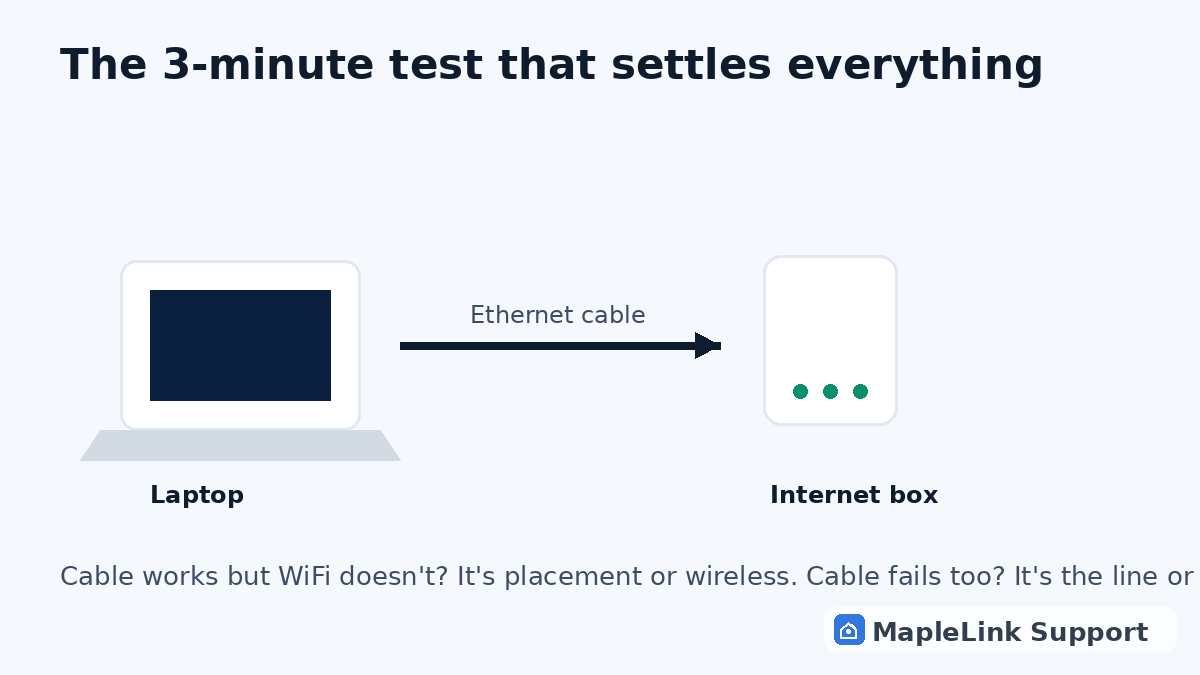
  4. Test with an ethernet cable · 3 min
  5. Check for a TELUS outage · 2 min
Diagram of the ethernet cable test: laptop connected directly to the internet box to isolate the problem
1
1 minute

Check if it's just one device

Try opening a website on a second device (phone on WiFi, another laptop). If other devices work fine, the problem is the one failing device — skip to step 4 or check our Windows won't connect guide. If nothing loads anywhere, continue below.

2
6 minutes

Reboot the TELUS WiFi Hub properly

Unplug the power cord from the back of the white TELUS hub, wait a full 60 seconds, plug it back in, then wait 5 minutes without touching anything. The light should settle to solid green. (The 60-second wait matters — a quick flick of the switch doesn't clear the connection.)

3
1 minute

Read the modem lights

Solid green = healthy. Blinking green or red = the hub can't reach TELUS — usually a line or outage issue (go to step 5). If the light looks right but nothing loads, continue.

4
3 minutes

Test with an ethernet cable

Plug a laptop directly into the back of the hub with a network cable. If ethernet works but WiFi doesn't, the problem is wireless — hub placement, interference, or a WiFi radio fault. Move the hub up and out in the open, away from microwaves and thick walls, and retry.

5
2 minutes

Check for a TELUS outage

Check TELUS's outage page or ask a neighbour on TELUS. If there's an outage in your area, only TELUS can fix it — no technician can. Good news: you've just ruled out your own equipment.

When to stop DIY: if the hub light never goes solid green after two reboots, the same device keeps failing after everything above, or this happens every few days — that's a hardware or line fault pattern, and it's cheaper to have it diagnosed properly than to guess-replace a $200 hub.

Still no internet? We fix it in-home — same day.

Flat $139. Diagnosis + repair included. Evening & weekend slots.
If we can't fix it, the visit is free.

Chat with us now

Related problems we fix

TELUS internet keeps disconnecting → TELUS modem keeps restarting → Windows 10/11 can't connect to TELUS WiFi → TELUS internet slower than your plan →

Questions people ask about this exact problem

Why does my WiFi say "connected" but there's no internet?
Usually one of three things: your router lost its connection to TELUS's network, one device has a software issue, or there's a local outage. The five steps above isolate which in about 5 minutes.
Is this a TELUS outage or my equipment?
If the modem light is solid green but nothing loads on any device, it's likely TELUS-side. Blinking or red lights, or ethernet working while WiFi fails, point to your home network.
How much does it cost to have someone fix this?
MapleLink Support charges a flat $139 fix visit — diagnosis and repair included. If we can't fix it, the visit is free.