Quick answers
Why does my Ring keep going offline?
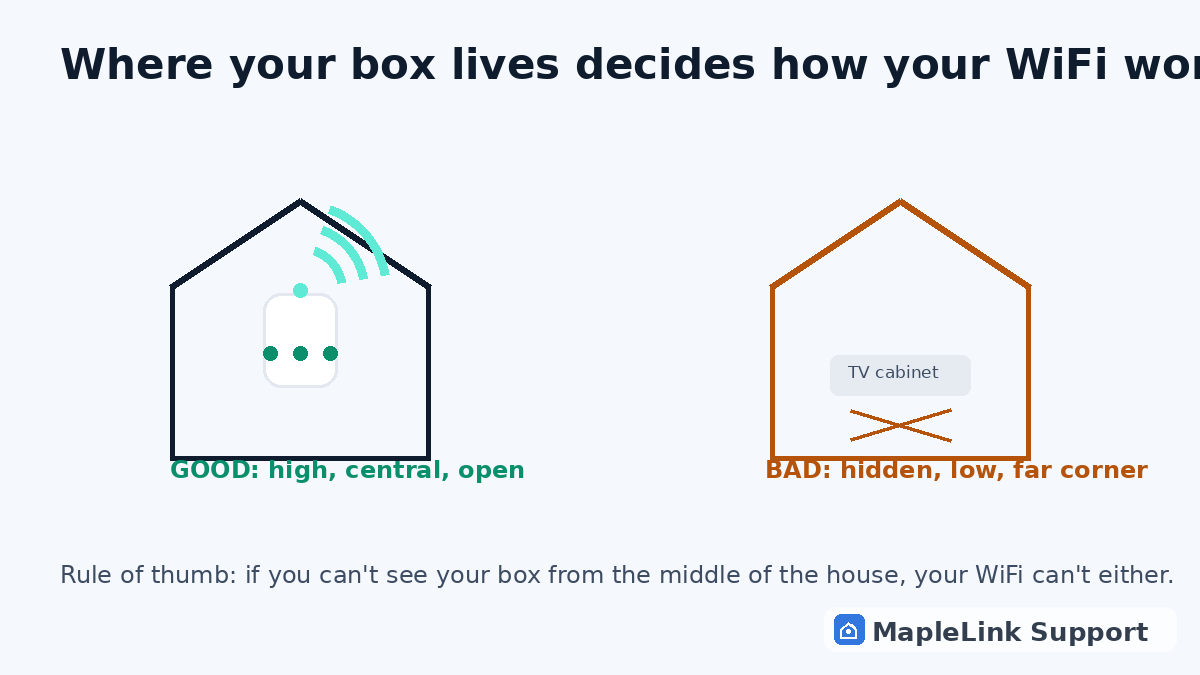
Weak WiFi at the door is the #1 cause — outside walls block signal. Test with your phone standing where the camera is; if your phone struggles, move your box or add a mesh pod.
Does cold weather affect doorbell cameras?
Yes — batteries drain dramatically below −10°C. If it only happens in winter, it's the battery, not your network.
What's a Chime Pro and do I need one?
It's a plug-in extender made for Ring devices. If your door's WiFi test is weak and you can't move the modem, it's the tidy fix — it lives indoors, halfway between box and door.
Why does my Ring camera keep going offline?
Almost always one of three things: WiFi too weak at the camera's location (outside walls block signal), the camera on the wrong WiFi band (most cameras need the 2.4 GHz network, not 5G), or — in winter — a cold-drained battery. Test the WiFi at the door with your phone; if it's weak there, move your router or add a mesh pod halfway.
Ring doorbell says offline — how do I fix it?
Restart in this order: internet box first (unplug 60 seconds, wait for solid light), then the doorbell (remove battery or flip its breaker for 30 seconds). Then reconnect the doorbell in the Ring app. Still offline? Check the Ring app's device-health screen for signal and battery — weak readings there tell you which of the three causes you have.
Why does my Ring doorbell keep going offline at night?
Nighttime dropouts have three usual causes working together: dropping temperatures drain the battery faster, evening hours are when neighbourhood WiFi congestion peaks, and cold metal doors block what little signal reaches the camera. If it only happens after dark, a wired power kit (or swapping the battery before winter) plus moving your router or a mesh pod closer to the door usually ends it.
How do I get my doorbell camera back online?
In order, and don't skip steps: 1) Restart your internet box first — unplug 60 seconds, wait for a solid light. 2) Power-cycle the doorbell (remove the battery or flip its breaker for 30 seconds). 3) Open the Ring app → device settings → reconnect to WiFi, and re-enter the password — it must be the 2.4 GHz network. 4) Check the app's device-health page for signal and power readings. Weak signal = move your router or add a mesh pod halfway to the door.
What does Ring error code P1-70 mean?
P1-70 almost always means the doorbell lost its WiFi connection — a signal or power problem, not a broken camera. The fix path is the standard one: restart the internet box, power-cycle the doorbell, reconnect in the app on the 2.4 GHz network. If P1-70 keeps returning at the same time of day, check battery health in the app and the WiFi signal strength at the door — one of those two is the root cause.
Why does my Ring camera say 'device offline' when WiFi works on my phone?
Your phone proves the internet is fine — the camera itself has the problem, and it's almost always one of three things: it drifted onto the wrong WiFi band (cameras need 2.4 GHz), its battery dropped too low to hold the radio connection, or the signal at its location is too weak for it specifically — phones have better antennas than cameras. Forget-and-reconnect the camera in the app first; if it relapses, check the device-health signal reading.
Why does my outdoor Ring camera keep going offline?
Outdoor cameras fight two extra enemies indoor cameras don't: weather and distance. Rain and snow absorb the WiFi signal between the camera and your house, and an outdoor mount on a garage or gate is usually at the maximum edge of your coverage. The fixes: bring the camera inside overnight as a test (if it stays online, it's signal or weather), add a mesh pod at the closest inside window, or run power and use a wired connection for anything permanently outdoors.