TELUS Boost WiFi pods — placement & fixes

Boost pods extend your WiFi to dead zones, but they're picky about where they live. A pod in the wrong spot is worse than none. Here's how to place them, read their lights, and fix the usual problems.

Last reviewed: September 2026 · Written in plain English by Ryoma Wyles, Senior Network & Internet Engineer at MapleLink Support Inc.

Jump to a step
  1. The one placement rule
  2. The halfway rule for pods
  3. Restart in the right order
  4. Read the pod light
  5. When pods can't save you
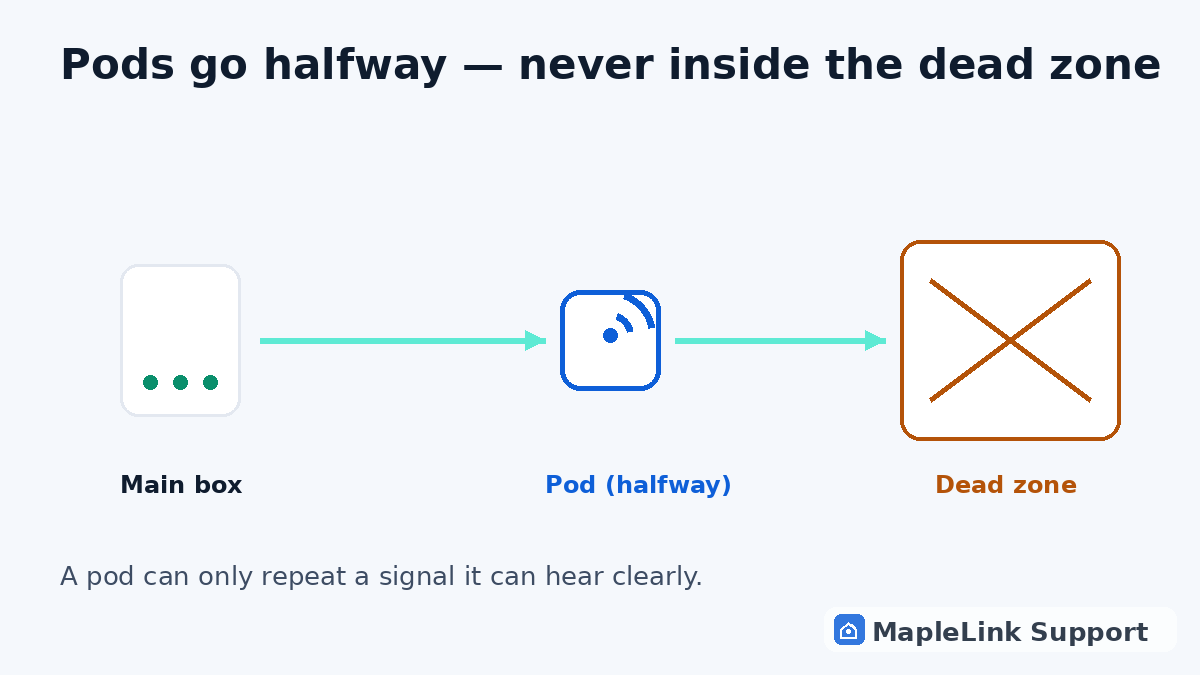
Diagram showing correct mesh pod placement: halfway between the main box and the dead zone, never inside it
1
1 minute

Pods extend — they don't create

A pod grabs your existing WiFi and rebroadcasts it. If it can't HEAR the main box clearly, it just rebroadcasts garbage. Every pod must have a decent signal from the main box — that's the whole game.

2
2 minutes

Halfway, not all the way

Put pods roughly halfway between the white box and the dead zone — not INSIDE the dead zone. One pod per floor in multi-level homes. Open shelves beat cabinets and closets; pods hate being hidden behind TVs.

3
7 minutes

Restart order matters

Main box first: unplug 60 seconds, plug back in, wait for solid light. THEN each pod, one at a time, waiting a couple of minutes between them. Pods re-find their parent network in order — rebooting everything at once confuses them.

4
1 minute

Read the pod light

Each pod has a small light: solid = happy and connected; blinking = pairing or searching (give it a few minutes); red or off = it can't reach the main box — move it closer and restart it.

5
1 minute

Know when pods aren't the answer

Pods can't fix a badly positioned main box, aging hardware, or a house that's simply too large for the equipment — those need the box relocated or a different mesh setup. That's exactly the kind of call we make on a visit.

The 5-second test: stand next to a pod with your phone. Full bars but slow internet = the pod itself has a weak upstream link. Move it closer to the main box and retest.

Still stuck? We fix it in your home — same day.

Flat $139 · diagnosis + repair included · evening & weekend slots.
If we can't fix it, the visit is free.

Chat with us now

Related guides

Smart TV won't connect / buffering →How to restart your TELUS modem →TELUS internet slower than your plan →WiFi connected but no internet → Smart Hub (rural internet) fixes →

Quick answers

Where should I put my TELUS Boost pods?
Halfway between the main box and the dead zone, out in the open, one per floor. Never inside the dead zone itself — a pod can only share signal it can clearly receive.
Why is my pod blinking?
It's pairing or looking for the main box. Give it a few minutes; if it never goes solid, move it closer to the main box and restart it.
Do pods slow down my internet?
Each hop costs a little speed — that's normal. If speed near a pod is terrible, the pod's upstream signal is weak; reposition it rather than adding more pods.